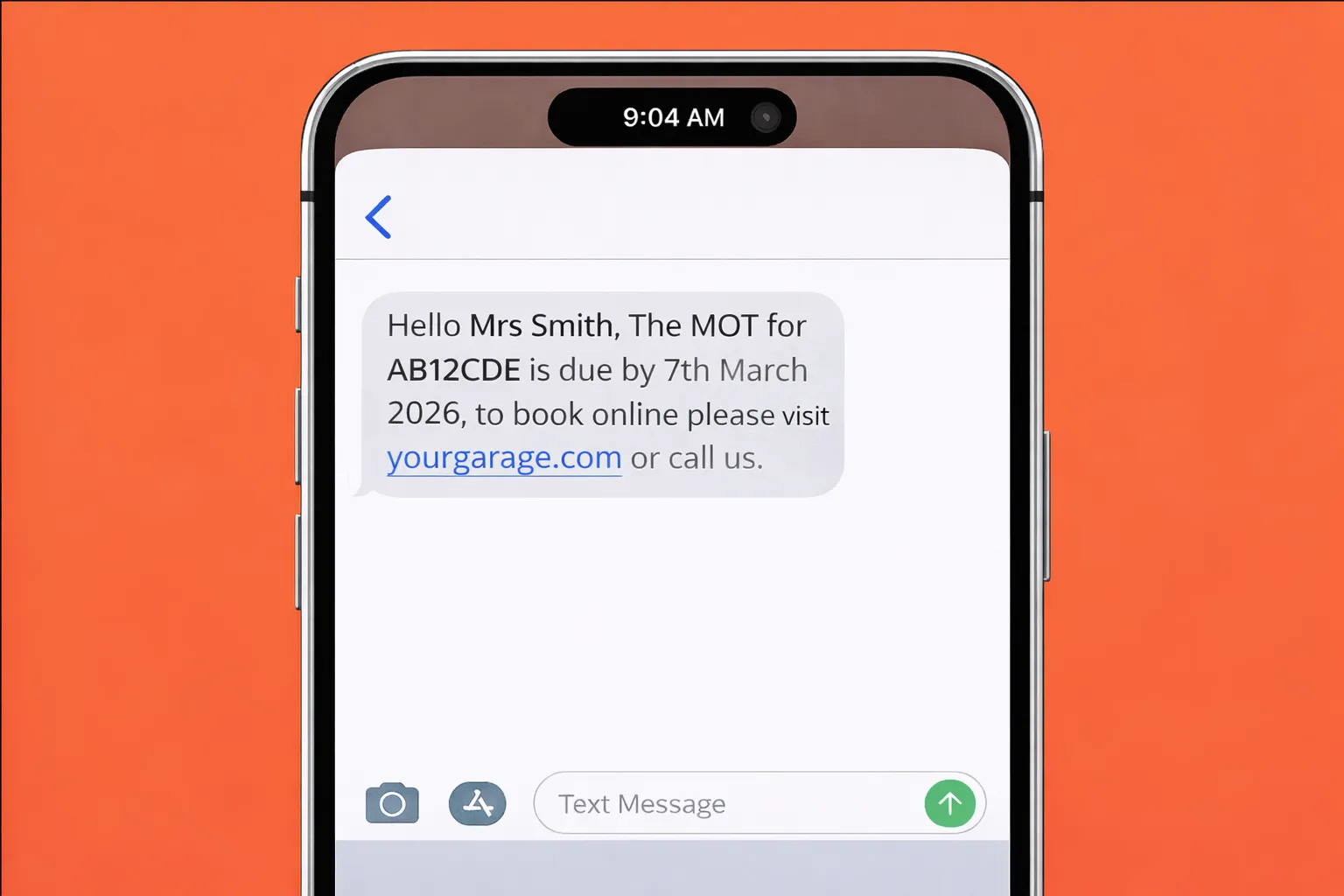
MOT and Service Reminders That Bring Customers Back
Automated MOT and service reminders with direct booking links increase retention and fill your diary. LaunchBay includes reminders at no extra cost.
reminderscustomer retentionMOT

LaunchPad is a focused, mobile-first interface that loads automatically for technician users. It shows assigned jobsheets, inspections, and tasks in a single view built for workshop conditions — no menus, no clutter, just the work that needs doing.
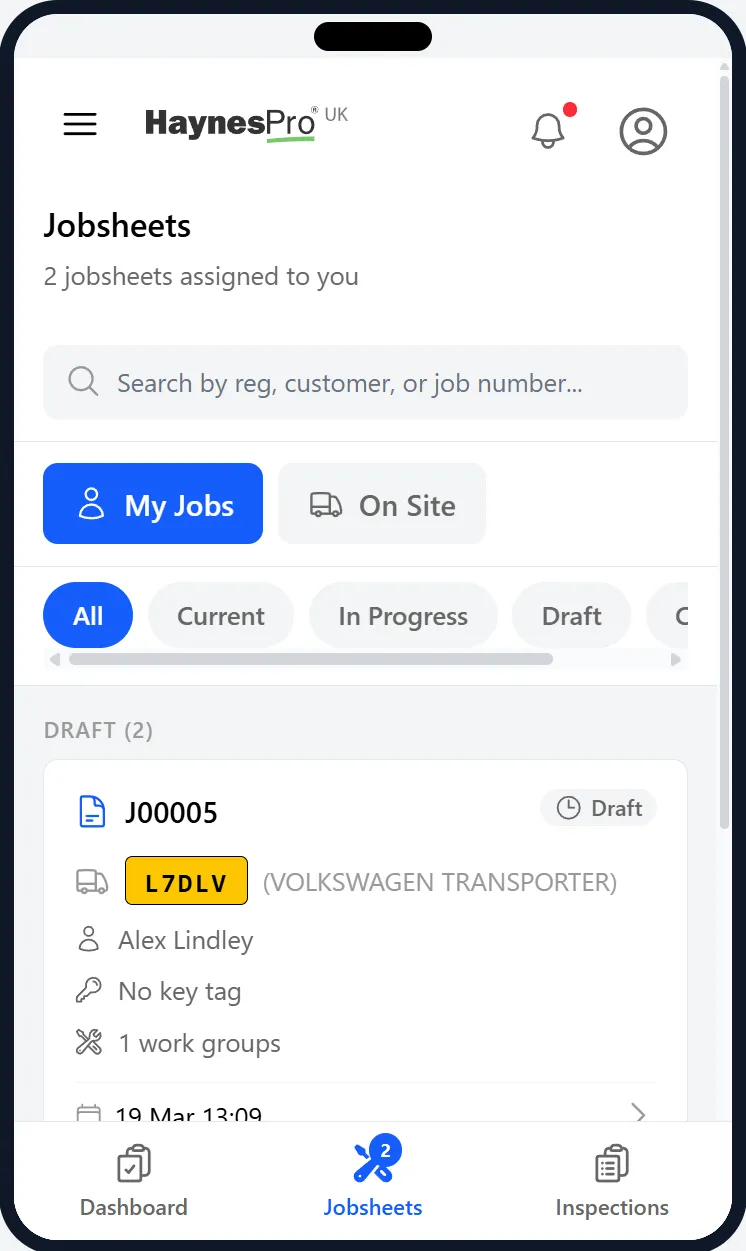
LaunchPad strips away everything a technician doesn't need. Your team sees their assigned jobs, runs guided inspections, updates task status, and adds notes and photos — all from any device with a browser.
LaunchPad's inspection tool is designed to work on any device your technicians already use. Walk through structured inspections point by point on a tablet propped on the wing mirror or a phone in the pit — no desktop required.
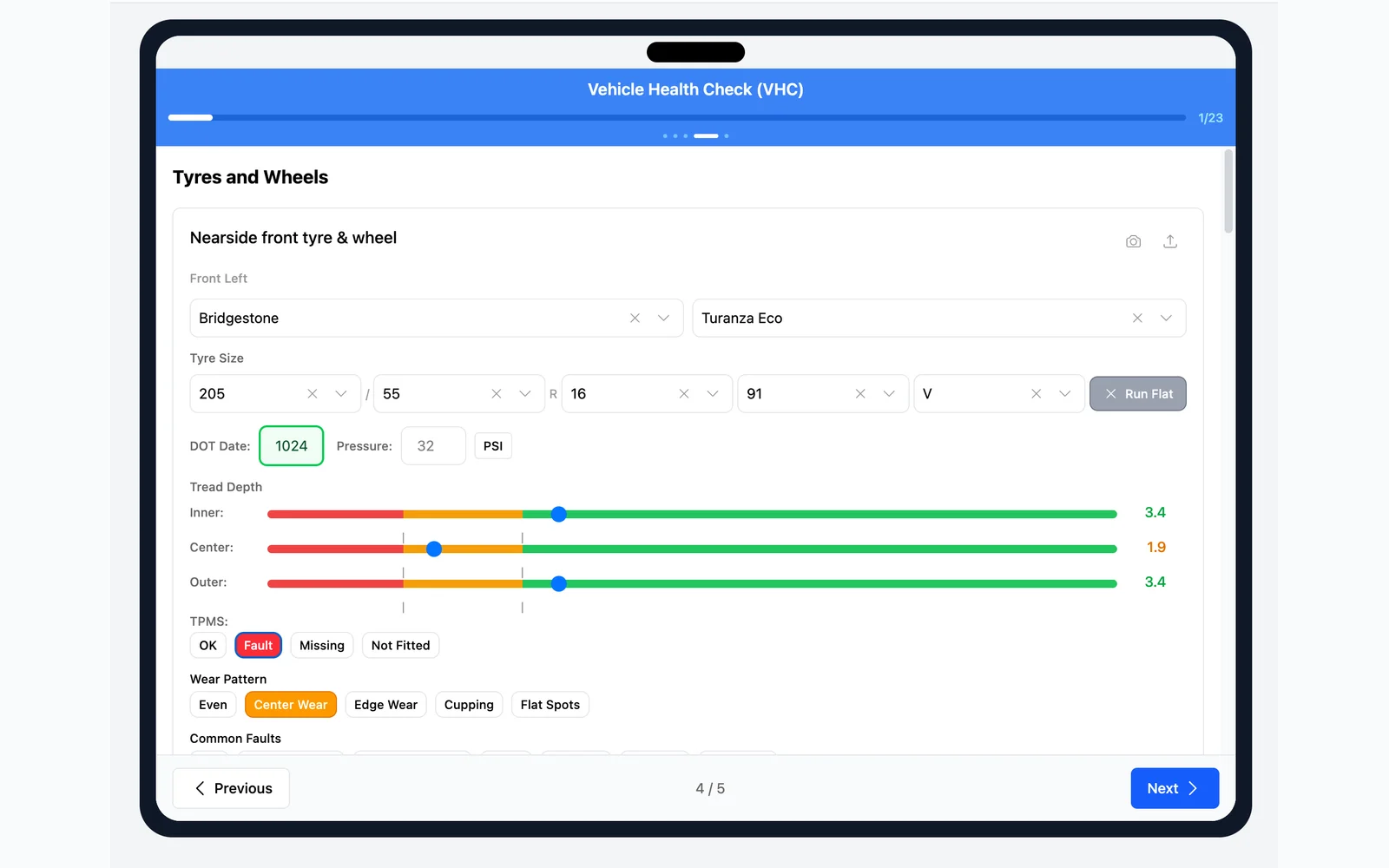
Technicians follow a structured template that walks through each check item. Record pass/fail results, tyre depths, brake measurements, fluid levels, and notes — all from a single full-screen interface.
Capture photos mid-inspection and annotate them with arrows, circles, and freehand drawing. Annotated images are attached to the inspection report for clear, visual evidence customers can trust.
No searching through menus. Type a vehicle registration to start a new inspection instantly. The correct template loads automatically based on the vehicle and your workshop's configuration.
LaunchPad opens with a personalised dashboard showing assigned jobsheets and pending inspections for today. Technicians see vehicle registrations, job status, and booking dates at a glance — tap any item to go straight to it.
Technicians see only the jobsheets assigned to them, filtered to exclude future bookings and completed jobs. Each jobsheet shows the vehicle, status, work groups, customer concerns, and technician notes. Mark work groups complete directly from the job card.
Full-screen inspection wizard walks through each check point by point. Supports tyre depth, brake pad thickness, fluid levels, condition ratings, and more. Start an inspection by entering a registration number — the template does the rest.
Take photos during inspections and annotate them with circles, arrows, rectangles, and freehand drawing. Annotations are saved to the inspection and rendered on thumbnails for clear evidence that customers and service advisors can review.
View customer concerns attached to each jobsheet, add technician notes for the service advisor, and see internal notes from management. Notes are visible from the jobsheet detail view alongside work items and media.
A task list shows pending, in-progress, and on-hold work assigned to the technician. Tasks are linked to jobsheets and inspections with priority flags, due dates, and estimated times. Tap to change status or jump straight to the linked inspection or job.
HaynesPro Technical Data
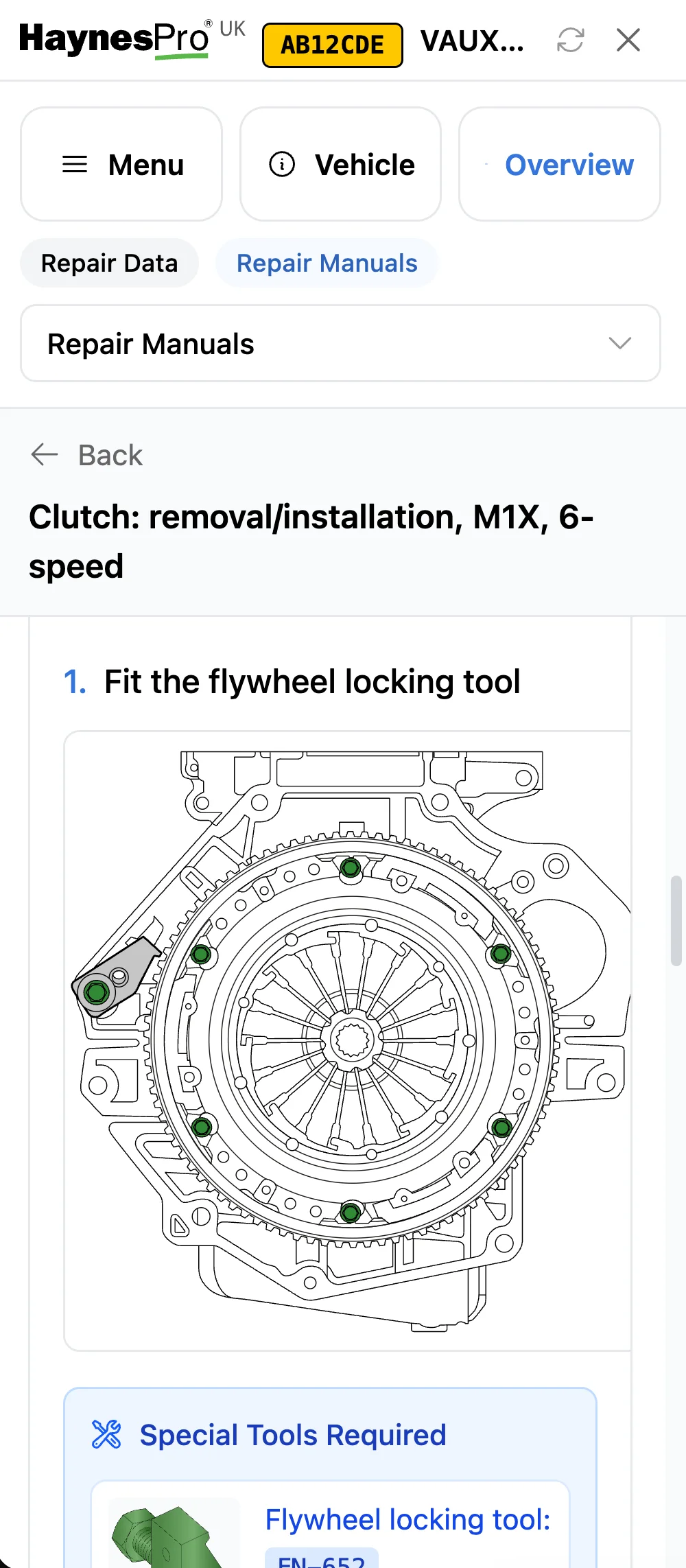
With HaynesPro built into LaunchPad, technicians can look up repair guides, lubricant specifications, tightening torques, service schedules, and wiring diagrams directly from their phone or tablet — right at the ramp, without walking back to a desktop.
Step-by-step repair instructions for the vehicle on the ramp. Technicians get the information they need without leaving the bay or interrupting their workflow.
Look up the correct oil grade, tightening torques, and fluid capacities for the specific vehicle. No more guessing or flipping through paper manuals.
Check manufacturer service schedules, open recalls, and technical bulletins while the vehicle is in. Advise customers with confidence and catch issues early.
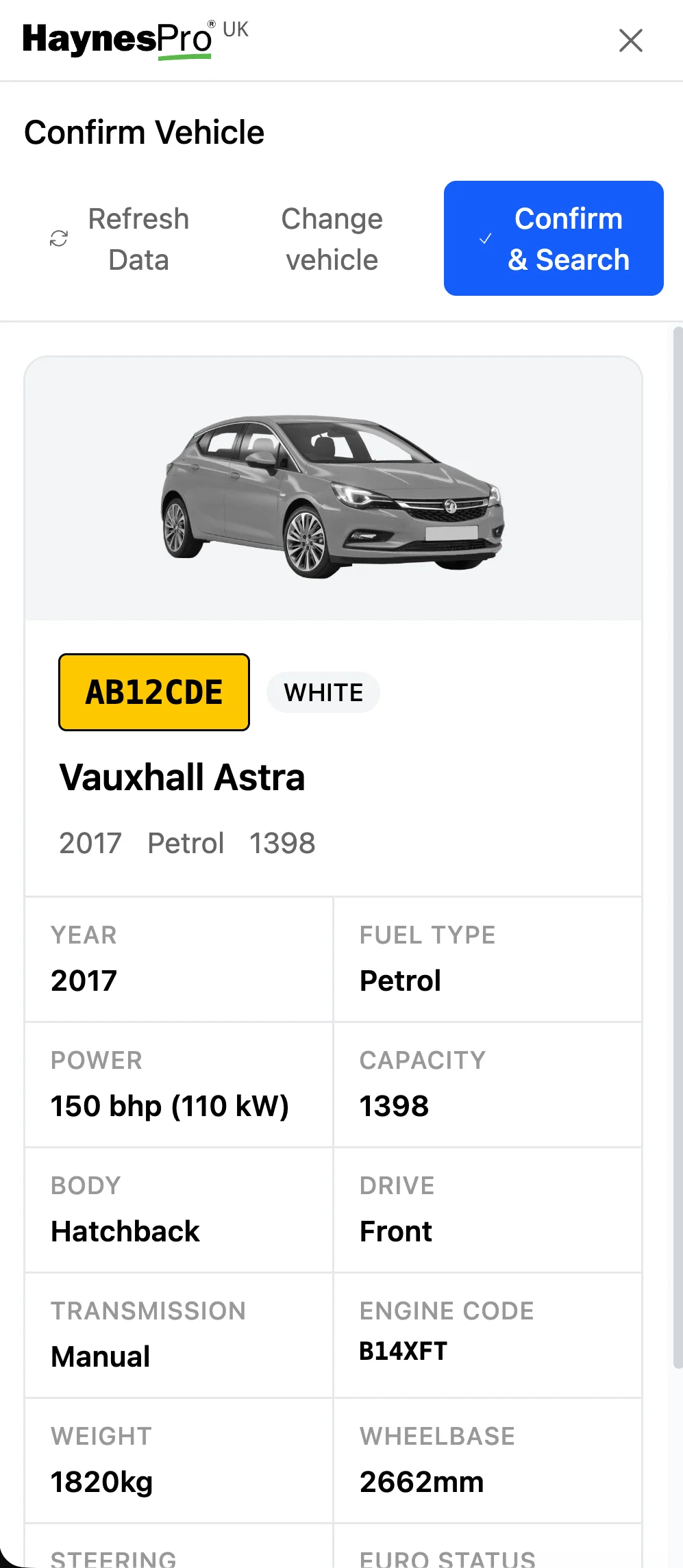
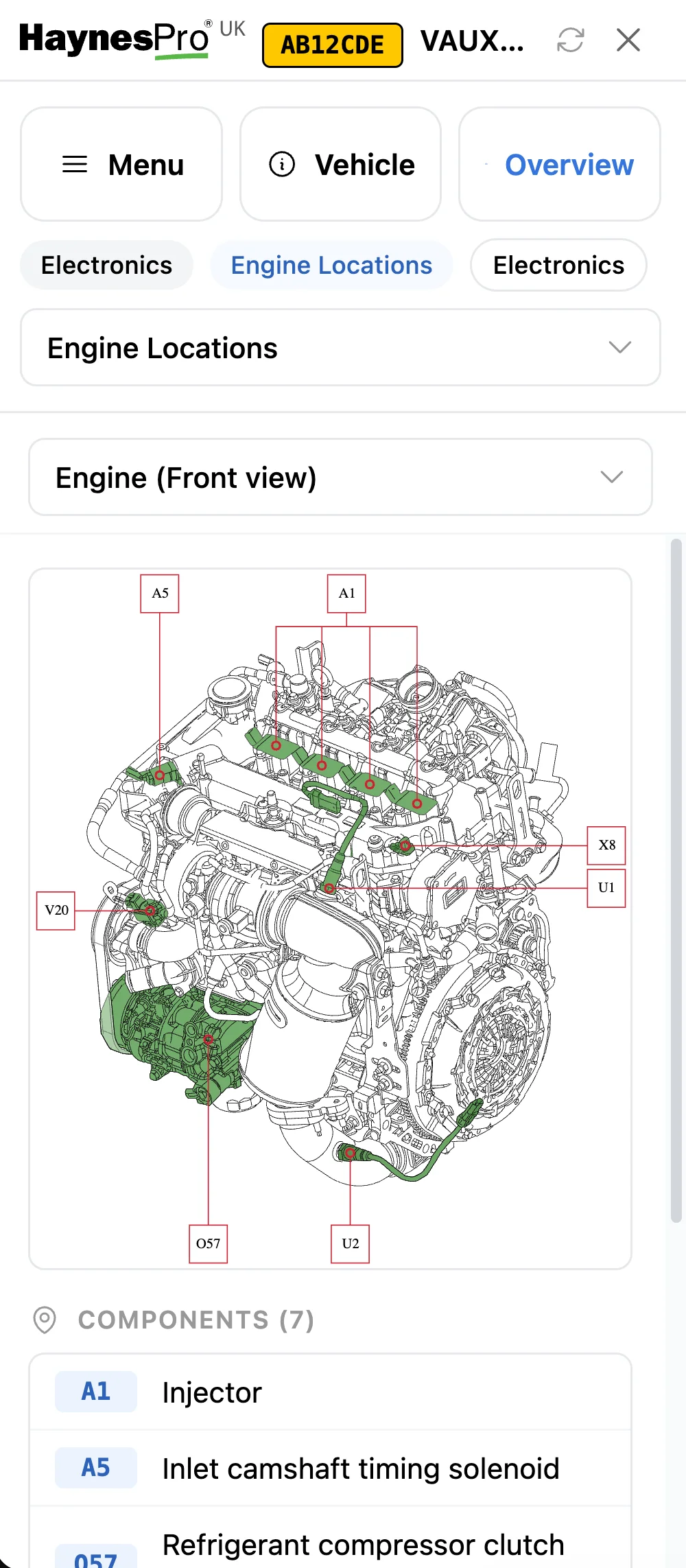
Technicians can view jobs assigned to them or assign jobs to themselves, start and complete digital vehicle inspections, update job progress, log time, and communicate with the workshop, all from their own device. LaunchPad works on any phone, tablet, or laptop, so technicians are not tied to a specific workstation.
Practical guides and industry insights for independent workshops
Automated MOT and service reminders with direct booking links increase retention and fill your diary. LaunchBay includes reminders at no extra cost.
Going digital does not have to be complicated. Learn how independent garages switch from paper to workshop management software simply and quickly.
For workshop owners who want a straightforward way to manage their business, win work, and keep customers coming back.